
 English
 Français
 Español
 日本語
 العربية
 简体中文


Android Auto Testing Standards and Test Items
Contact Blue Asia
Email: [email protected]
WhatsApp: +86 176 6360 6879
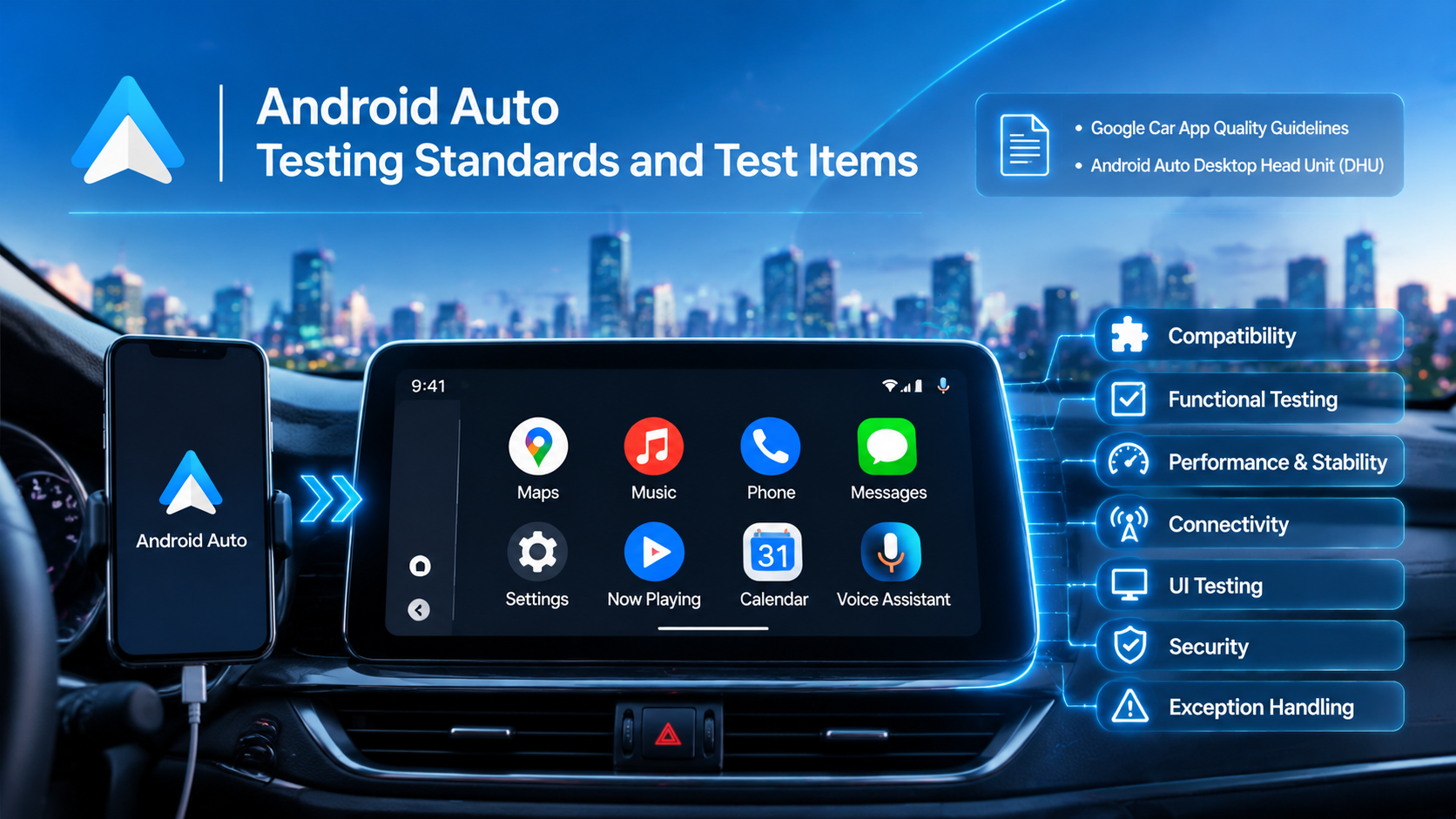
Android Auto testing involves a series of compatibility, functional, and performance evaluations designed to verify the interaction between Android smartphones and compatible in-vehicle infotainment (IVI) systems.
Android Auto allows drivers to access selected smartphone applications and services through a compatible vehicle display or aftermarket head unit. Testing helps ensure that the connection is reliable, supported functions operate correctly, and the in-vehicle experience meets applicable technical and user experience requirements.
For automotive infotainment manufacturers, system developers, and suppliers integrating Android Auto, testing is an important part of product development and compliance preparation.
Android Auto Testing Standards and Requirements
Unlike conventional radio or wireless equipment certification, Android Auto does not rely on a single publicly available ITU-T standard as its complete testing specification.
Google provides official Android for Cars documentation, including car app quality guidelines, compatibility checklists, and testing procedures. These requirements vary according to application category and platform.
Google's car app quality guidelines cover applications designed for Android Auto and Android Automotive OS. Developers are expected to test their applications against the applicable criteria before submitting them for Google Play review.
For Android Auto application testing, Google provides the Android Auto Desktop Head Unit (DHU) as a development and validation tool. It allows developers to simulate an Android Auto-compatible vehicle head unit environment and evaluate application behavior.
The relevant requirements should be selected according to the product type, application category, and intended integration method.
Key Android Auto Testing Items
Android Auto testing may cover the following areas, depending on the system architecture and testing scope.
1. Compatibility Testing
Verify that the infotainment system can establish a connection with supported Android smartphones and correctly launch Android Auto.
Testing may cover:
Smartphone and head unit compatibility
USB and supported wireless connection methods
Device recognition and connection establishment
Android Auto initialization and application loading
Compatibility across supported device configurations
2. Functional Testing
Verify that Android Auto functions operate as expected when connected to the vehicle's infotainment system.
Typical functions include:
Google Maps and navigation
Music and media playback
Phone calls and communication
Messaging notifications
Google Assistant and supported voice interactions
The actual functions available depend on the application category, device configuration, and Google's applicable requirements.
3. Performance and Stability Testing
Evaluate the responsiveness and stability of Android Auto during normal operation and different usage scenarios.
Key considerations include:
System response time
Application loading performance
Connection stability
Audio and navigation responsiveness
Application crashes, freezing, or unexpected interruptions
4. User Interface (UI) Testing
Check whether the Android Auto interface is displayed and operated correctly on the vehicle's center display.
Testing may include:
Screen layout and display adaptation
Text and icon readability
Touchscreen interaction
Interface consistency
Compliance with applicable driver distraction requirements
The interface should provide clear information and allow drivers to interact with supported functions without unnecessary visual or operational distractions.
5. Connectivity and Interoperability Testing
Evaluate communication between the Android smartphone and the in-vehicle infotainment system.
Testing may cover:
USB connection and data communication
Wireless connectivity, where supported
Bluetooth pairing and related functions
Connection and reconnection behavior
Interoperability across supported smartphones and head units
6. Security and Permission Testing
Check how the system handles application permissions, device access, and communication-related functions.
Testing may include:
Permission management
Application access control
Personal data handling
Unauthorized access scenarios
Secure connection and disconnection behavior
7. Exception Handling Testing
Simulate abnormal operating conditions to assess whether the system can recover correctly.
Typical scenarios include:
Unexpected USB disconnection
Wireless connection interruption
Smartphone restart
Infotainment system restart
Application crash or service interruption
Reconnection after communication failure
The system should handle these situations without causing persistent functional failures.
Android Auto Testing Tools and Validation
Google provides dedicated development and testing resources for Android Auto and Android Automotive OS.
One of the main tools for Android Auto application validation is the Android Auto Desktop Head Unit (DHU). Developers can use it to simulate a vehicle head unit and test application behavior during development.
Google also publishes car app quality requirements and category-specific testing checklists. Applications intended for distribution through Google Play must undergo the applicable review process.
It is important to distinguish between Android Auto and Android Automotive OS:
Android Auto: A smartphone-based platform that projects a driver-optimized experience onto a compatible vehicle display.
Android Automotive OS (AAOS): An Android-based operating system integrated directly into the vehicle's infotainment hardware.
Although both platforms belong to Google's Android for Cars ecosystem, their system architectures and testing approaches are different.
Why Is Android Auto Testing Important?
Reliable Android Auto integration requires more than establishing a connection between a smartphone and a vehicle display. Compatibility, application functionality, connectivity, audio performance, and system stability all contribute to the overall user experience.
For automotive OEMs, Tier 1 suppliers, and infotainment system manufacturers, appropriate testing helps identify integration issues before products reach the market.
A structured validation process also helps developers assess compatibility with Google's applicable car app quality requirements and prepare for the relevant review and approval procedures.
Contact Blue Asia for Automotive Testing and Certification Support
Email: [email protected]
WhatsApp: +86 176 6360 6879
 博客
Android Auto Testing Standards and Test Items
閱讀文章
 博客
CarPlay Testing Standards and Test Items
閱讀文章
 博客
EU eCall Type Approval: How Long Is It Valid, and When Does It Need to Be Updated?
閱讀文章
 博客
What Is VCCI Compliance in Japan? Product Scope and Application Process
閱讀文章
 博客
Canada ISED Certification: Application Process, Standards and Documentation
閱讀文章
 博客
Does the 2026 DAB+ Standard Update Mean You Need to Retest Your Products?
閱讀文章

 4000259520